
Projectivy Launcher
SpockyPersonalization
4.4254.00 Reviews
- Version
- 4.73
- Installs
- 1.00M
- Age Rating
- Everyone
Screenshots
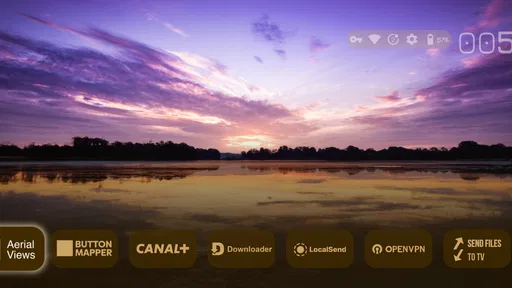
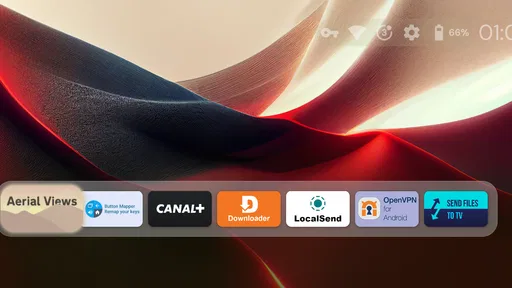
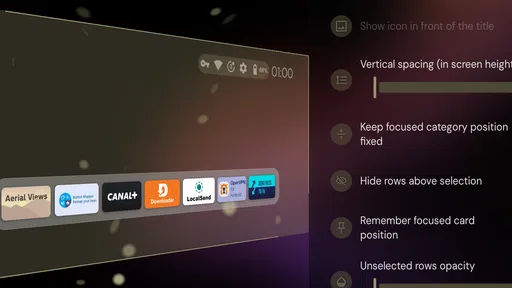
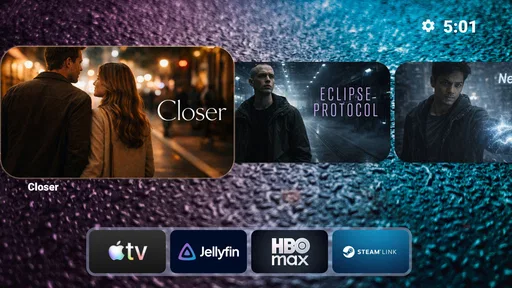
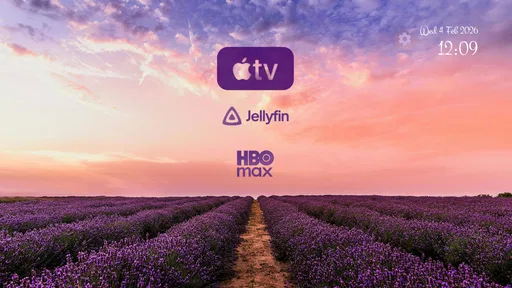
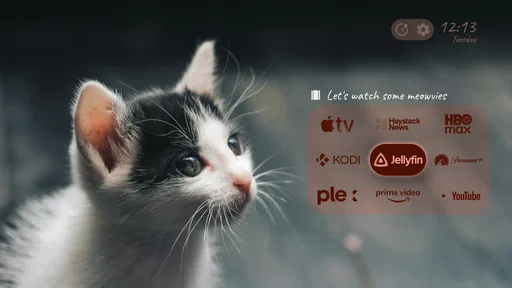
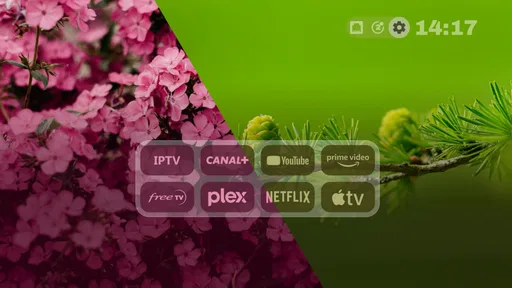
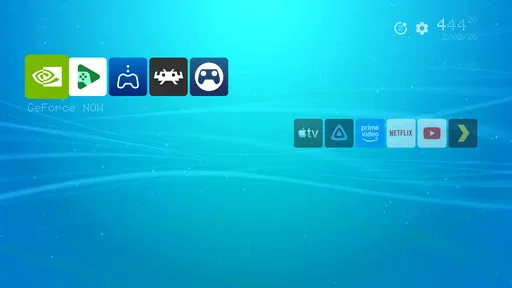
Our Review of Projectivy Launcher
 Analysis by Appyee
Ever had that moment when you stare at your phone's home screen and think, "Wow, this could be better organized"? Yeah, me too. Enter the Projectivy Launcher. This app is like that friend who’s always got it together—efficient, stylish, and just so darn helpful. Let’s dive into what makes this launcher tick.
That first impression is only part of the story, though. A launcher earns its place through the small decisions you make repeatedly: where you look for an app, how quickly you reach the screen you need, and whether the layout still makes sense once the novelty wears off. I’d judge this one less as a one-time makeover and more as a setup you can live with.
The First Impression
So, I downloaded Projectivy Launcher on a lazy afternoon, and the installation was a breeze. No unnecessary hoops to jump through. Opening the app, I was greeted with a clean, minimalist interface that just screamed "productivity." It’s like the app knew exactly what I needed before I even did. Trust me, if you're someone who values aesthetics and functionality, this launcher will catch your eye right from the start.
One important point before getting carried away: Projectivy is an Android TV personalization app, not a phone-home-screen launcher. The promise of a tidier phone, phone widgets, and phone-style gestures in the older description does not match the app’s actual focus. Its appeal is about shaping the TV interface, so it makes the most sense for someone who spends time navigating apps and content from an Android TV device.
Customization Galore
Okay, let's talk customization. I’m one of those people who loves to tweak things until they're just right, and Projectivy Launcher did not disappoint. You can change everything from icon shapes to grid layouts. Want a widget on your home screen? No problem. Prefer a more streamlined look? You got it. The app's flexibility makes it easy to create a setup that feels uniquely yours.
For an Android TV setup, the useful question is not how many decorations you can add; it is whether the screen helps you find the services and apps you actually use. I’d start with a restrained arrangement rather than trying to rebuild the entire interface at once. Put the things you reach for often where they are easy to spot, then live with that layout for a few days before making another round of changes. That makes it easier to tell whether a tweak genuinely saves effort or merely looks different.
This is also where a launcher differs from changing a wallpaper or theme. A theme usually changes appearance while leaving the main structure alone; a launcher changes the way you encounter and move among apps. That extra control is valuable if the default TV home screen feels cluttered or poorly suited to your habits, but it also means your first setup can take longer than a quick cosmetic change.
Productivity Features That Shine
Now, the name "Projectivy" isn’t just for show. This launcher is packed with features that genuinely boost productivity. There’s a focus mode that helps you concentrate on important tasks by muting distractions. Plus, the integrated calendar widget is a lifesaver for keeping track of meetings and deadlines. With these tools at your fingertips, it’s hard not to feel like you’ve got your life together—even when you don’t.
For the TV use case, I would not treat a launcher as a task manager or assume that phone-oriented features such as a calendar widget and focus mode define the experience. The more practical benefit is reducing the time spent hunting through a television’s starting screen. If you use the TV for a predictable mix of streaming, live viewing, and occasional utility apps, a clearer entry point can make the device feel easier to use without asking everyone in the household to learn a complicated system.
A realistic routine might be settling in after work, turning on the TV, and wanting to get to one familiar app without passing through rows of recommendations that do not interest you. A personalized launcher can help make that first step more direct. The gain is modest each time, but it repeats whenever you use the television; that repeated convenience is a stronger reason to keep it than the initial pleasure of rearranging a screen.
Performance and Speed
Let’s be real—no one wants a launcher that lags. Thankfully, Projectivy Launcher is as smooth as butter. Even with a bunch of apps running in the background, everything stayed snappy. This is a huge plus, especially if you’re juggling multiple tasks on your phone. It’s like the app was built to handle whatever you throw at it, and then some.
Performance matters especially on a TV, where a slow response can make even a simple choice feel irritating. Still, the best way to judge responsiveness is on your own device and with your own setup; a launcher cannot make every television or connected box behave the same way. I would try the basic navigation first and avoid making several custom changes at once. If something feels less fluid after a major rearrangement, simplifying the screen is a sensible first troubleshooting step before deciding the launcher itself is the problem.
There is a trade-off between a familiar default and a customized starting point. The manufacturer’s interface may already be tuned for that device and may be easier for other people in the home to recognize. Projectivy is more compelling when the default presentation actively gets in your way. If you only open one app and rarely use the TV’s home screen, a new launcher may not change your day enough to justify learning a different layout.
Navigation Made Easy
Ever get lost in your own phone? Happens to the best of us. Thankfully, Projectivy Launcher offers intuitive navigation that makes finding apps and widgets a piece of cake. The search feature is particularly handy—just swipe down and type what you’re looking for. It’s efficient and saves you from endless scrolling.
On a television, navigation is shaped by the remote and by the way the screen is organized, so phone gestures should not be assumed. The practical test is whether you can move around comfortably with the controls you already use and get back to your usual apps without having to remember a maze of shortcuts. I’d check this with the people who share the TV, too: a layout that feels obvious to its owner can be confusing to someone who only uses the device occasionally.
A useful setup tip is to keep the first screen focused on the apps the household actually opens, rather than trying to expose every installed app at once. Less-used options can stay accessible without competing for attention. This is not about making the screen empty for its own sake; it is about making the next action easy to recognize from the sofa, where scanning a dense interface is less pleasant than it is on a phone.
Battery Life and Resource Management
One thing I worry about with any app is how it’ll affect my battery life. I was pleasantly surprised to find that Projectivy Launcher is very resource-friendly. It doesn’t hog battery or RAM, which means you can enjoy all its features without compromising on battery life. That's a win-win in my book.
For a television-based launcher, phone battery concerns are not the most relevant way to assess it. What matters more is whether the interface remains comfortable and dependable in everyday use, and whether the setup needs frequent attention. I would avoid reading too much into a single smooth session: use it across normal viewing routines and see if it continues to feel convenient after the initial customization period.
Maintenance is best kept simple. Make deliberate changes when you have a reason—perhaps a frequently used app has moved, or the existing arrangement no longer fits how you watch—rather than constantly tuning the screen. That approach helps preserve the familiarity that makes a launcher useful. If every viewing session begins with another round of adjustments, the interface has become a hobby rather than a helpful shortcut.
What Keeps It Useful—and What Can Wear Thin
The long-term question is whether a more personal TV home screen keeps paying off once the first-week appeal fades. In my view, it does for people who regularly browse several apps and find the standard starting screen distracting or awkward. A more deliberate layout can turn repeated navigation into a habit: switch on the TV, spot the app you want, and get on with watching. That is a small improvement, but one that can recur often enough to matter.
There are also reasons it may not stick. Customization can become its own source of fatigue if you keep changing the arrangement without making actual navigation easier. And if other people share the television, a highly individualized screen may trade your personal neatness for their confusion. I’d favor a layout that the least frequent user can still understand, even if it is not the most perfectly tailored version for me.
Compared with keeping the manufacturer’s default launcher, Projectivy asks you to make more choices in exchange for more control over the experience. Compared with a simple visual theme, it can affect how you approach the TV rather than merely changing its look. If you are content with the default and already reach your apps quickly, staying with it is the better low-maintenance option. If the default repeatedly makes you search or scroll, trying a different launcher has a clearer purpose.
Projectivy is free to install, with optional in-app purchases ranging from $0.99 to $7.49 per item. It is developed by Spocky, is rated for Everyone, and supports Android 6.0 and later; version 4.68 is the current version. The app has a 4.5 average from around 2,300 ratings and more than a million installs, which gives a prospective user useful context without being a substitute for checking how it feels on their own TV. I would begin with the free experience and only consider a purchase if a paid option solves a specific need for you.
Final Thoughts
So, after spending some quality time with Projectivy Launcher, would I recommend it? Absolutely. It’s not just a launcher; it’s a tool that can genuinely enhance your smartphone experience. Whether you’re a productivity junkie or just someone who appreciates a well-organized home screen, this app has something for you. And let's be honest, who wouldn’t want their phone to be a bit more like that friend who always has it together?
My recommendation is for Android TV owners who want to shape the television’s starting point and are willing to spend a little time finding an arrangement that suits their viewing habits. I would skip it if you are looking for a phone launcher, a productivity dashboard, or a change that requires no adjustment at all. The enduring value comes from less friction in a routine you repeat, not from endlessly changing the screen.
If you’re interested in giving it a spin, you can find Projectivy Launcher on your respective app store. Trust me, your phone will thank you.
Privacy and Permissions
See what permissions an app requests and how it handles your data.
- Photos/Media/Files
- read the contents of your USB storage
- Storage
- read the contents of your USB storage
- Other
- view network connections, full network access, run at startup, prevent device from sleeping, install shortcuts
Verdict
Strengths of Projectivy Launcher
- Highly customizable interface options.
- Smooth performance with low battery use.
- Seamless integration with Google apps.
- Supports gesture controls efficiently.
- Frequent updates with new features.
Limitations of Projectivy Launcher
- Limited widget support for some apps.
- Learning curve for advanced features.
- Ads in free version can be intrusive.
- Occasional minor bugs in updates.
- Paid features can be quite expensive.
Similar Picks in This Category
View All
Microsoft SwiftKey AI Keyboard
SwiftKey4.3

Wallpapers
Google LLC4.1

Zedge™ Wallpapers & Ringtones
Zedge4.7

Yandex Browser with Alice AI
Direct Cursus Computer Systems Trading LLC4.3

Ringtone Maker:create ringtone
Big Bang Inc.4.7

Fonts Keyboard
Fonts Keyboard3.9
Frequently Asked Questions
What is Projectivy Launcher and how does it enhance my device's user interface?
Projectivy Launcher is a customizable home screen replacement that offers enhanced features and performance improvements for your Android device. It provides a sleek design, personalized widgets, and intuitive navigation to improve usability and efficiency. With Projectivy Launcher, you can tailor your device's interface to match your style and needs, making it a versatile option.
Is Projectivy Launcher compatible with all Android devices?
Projectivy Launcher is designed to work with most Android devices running Android 5.0 (Lollipop) and above. However, performance may vary depending on the device's hardware specifications. It's recommended to check the app's compatibility on the Google Play Store page to ensure it works optimally with your specific device model.
Does Projectivy Launcher consume a lot of battery or system resources?
Projectivy Launcher is optimized for efficient performance, which means it is designed to use minimal battery and system resources. However, the impact on battery life may vary depending on the specific features you use and the configuration settings you choose. Regular updates often improve performance and resource management.
Can I customize themes and icons in Projectivy Launcher?
Yes, Projectivy Launcher offers extensive customization options, allowing you to change themes, icons, and layouts to suit your preferences. You can download additional icon packs and themes from the Play Store to further personalize your device's appearance. This flexibility makes it easy to create a unique and personalized interface.
How does Projectivy Launcher handle app organization and management?
Projectivy Launcher provides robust tools for app organization, including customizable app drawers, folders, and gesture controls. You can easily sort and categorize apps based on your usage patterns, and the launcher supports features like app hiding and renaming to help you maintain a clean and organized home screen.
